Start with coverage, not a list of names
A cafe's opening hours are only part of the staffing picture. Someone may need to prepare the bar before the doors open and finish cleaning after the last order. Your morning queue may need a different level of coverage from the quieter afternoon.
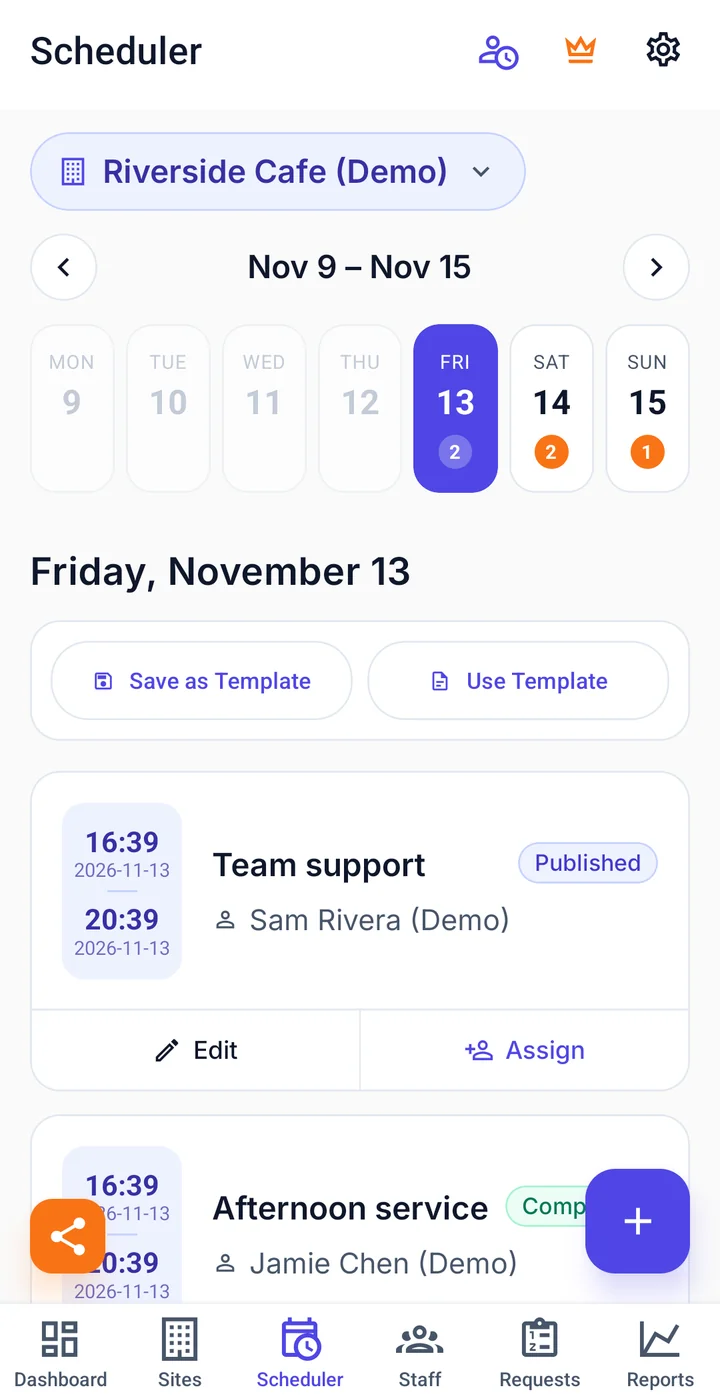
Write down those periods first, then create recognizable shifts such as Opening prep, Morning service, and Closing. In Rostr, check the site and day before adding the start and finish time. A clear shift name helps workers understand the assignment without a separate message explaining every row.
Check skills and availability before assigning
A free person is not always the right person for every job. Check who can open the shop, work the coffee machine, or complete the closing routine. Use your own role and training records when making assignments; do not assume scheduling software verifies someone's qualifications.
Availability tools on eligible plans help with assignment decisions. Review leave requests before finalizing coverage, especially when a small team has little room for a last-minute absence. Our cafe scheduling guide includes a worked day with opening, peak, and closing coverage.
Publish one version of the week
Keep shifts as drafts while you check names and hours. Publish once the schedule is ready so workers can see their assigned shifts on their own phones. If you make a change, check the published assignment and confirm that the affected worker knows about it.
For repeat patterns, paid plans offer saved templates. Reusing a pattern can reduce re-entry, but it does not remove the need to check the new dates, leave decisions, and availability.
Close the loop with attendance
Workers use the mobile time clock at the start and end of their shifts. Review missed punches and other exceptions so the approved attendance reflects the working day, not just the plan.
The free plan covers one site and up to five users with basic scheduling and manual time tracking. Compare paid plans if you need more users, availability tools, reports, or additional locations. Rostr does not forecast your sales or automatically determine how many baristas you need: staffing decisions remain yours.