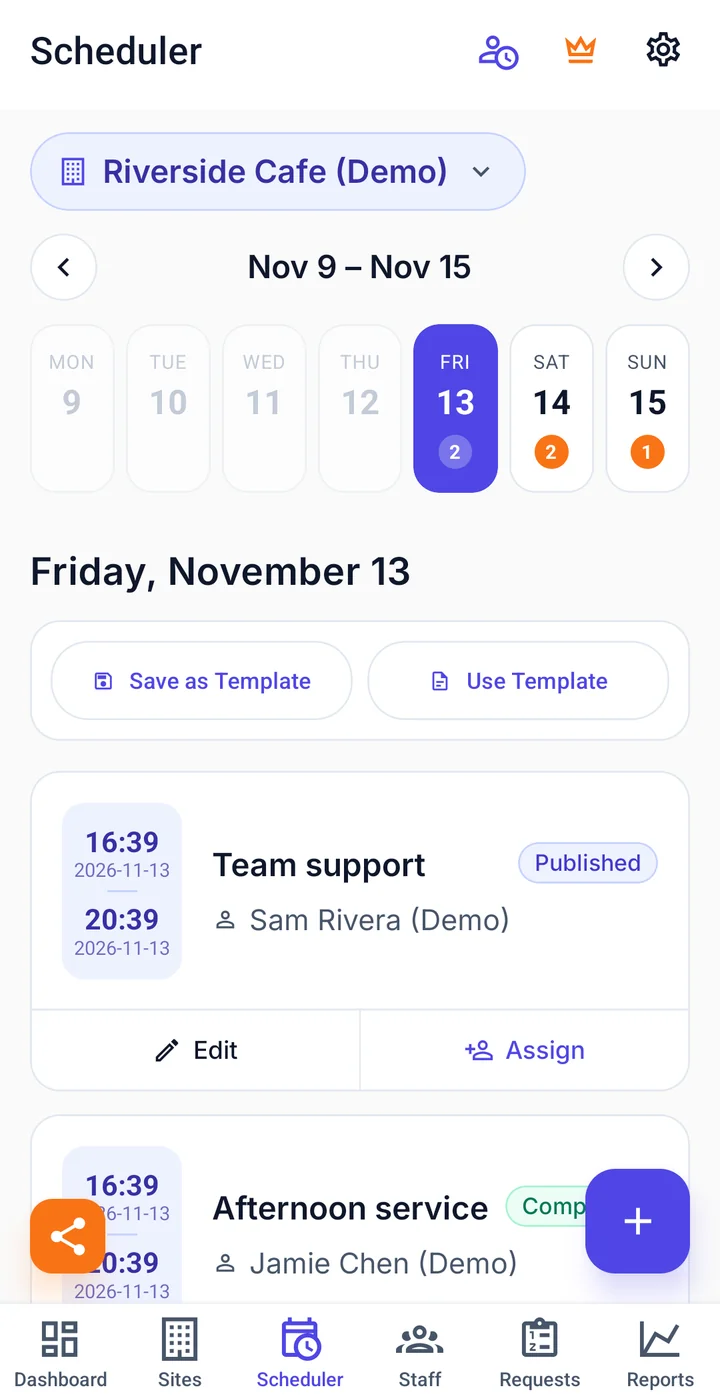
What the free plan includes
- One site and up to five users.
- Basic shift scheduling with a seven-day schedule view.
- Manual clock-in and clock-out.
- Push notifications for published schedules.
- Access to the app on iPhone and Android.
The free plan is a practical starting point for a small shop or cafe that needs everyone to see the same published schedule. You do not need a paid plan just to try basic scheduling and manual time tracking. Check the account's usage and limits in the app as you add people.
Publish your first schedule in a clear sequence
- Download Rostr and sign in with your email. Create the business account as an admin.
- Add your workplace and check its time zone before creating shifts.
- Invite each worker using their own email and connect them to the correct site.
- Create draft shifts, confirm their dates and hours, and assign the workers.
- Publish the schedule when it is ready. Ask workers to check their own assignments.
Start with a week you already understand. If your current schedule is on paper, the free staff schedule template can help collect the information before you enter it into Rostr. It is a planning aid, not a CSV import feature.
Know when a paid plan is useful
Free does not include saved templates, worker availability tools, email notifications, reports, or CSV export. Location-based clock-in also requires an eligible paid plan. If those are essential to your process, compare the Starter, Growth, and Business plans rather than assuming they are part of Free.
Starter supports a larger team at one site. Growth and Business provide more sites and users, with location-based clock-in and payroll tools. Local store pricing and any trial eligibility are shown before purchase.
A shared schedule, not another spreadsheet attachment
A spreadsheet can be useful while planning, but circulating new versions can make it unclear which copy to follow. In Rostr, workers check their published assignments in the app. Keep draft changes private until they are ready, and make sure your team knows where to find the published week.